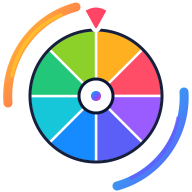
Pick a color visually for games, design prompts, classroom activities or creative challenges.
SpinningTool turns a list of names, choices, numbers or ideas into a visual wheel you can spin in the browser. Type or paste your entries, press Spin, and the wheel slows to a clearly selected segment. You can use it immediately without creating an account, which makes it useful for quick decisions in classrooms, meetings, games and everyday life.
The editor is designed for more than a one-off spin. Shuffle and sort entries, remove duplicates, assign weights, change colors, keep result history, add more than one wheel and switch to presentation mode when other people are watching. If you sign in with Google, you can save wheels, publish a shareable copy and make an embeddable version for your own website.
What is Random Color Wheel?
A spinning wheel is a simple way to choose one item from a set while everyone can see the available options. Instead of hiding the selection behind a button, the wheel makes the process visible. That is useful when a class is choosing a student, a team needs a neutral tie-breaker, friends cannot decide where to eat, or a giveaway host wants a clear result. The wheel is a convenience tool rather than proof of a regulated lottery or gambling draw, so high-stakes uses should follow the rules that apply to them.
How to use the wheel
Replace the sample entries with your own names or choices. Paste one item per line or use the advanced entry editor.
Optional: change colors, weights, spin duration, sounds, confetti and winner-removal behavior in Customize and Settings.
Press the wheel, the Spin button or Space on a keyboard. The pointer and final result are calculated from the same wheel geometry.
Use the result panel to spin again, remove the winner, copy the result or share a result card.
Save the wheel to your account when you want a permanent private, unlisted or public URL.
Wheel features
Secure browser randomness for the winning selection
Weighted entries with segment sizes that reflect their probability
Multiple wheels in one workspace
Winner history with remove and restore actions
Image entries for signed-in users
Import and export for text and CSV lists
Fullscreen and presentation modes
Share links, QR codes, social sharing and website embeds
Local autosave for anonymous visitors
Cloud saving with Google sign-in
Popular ways to use it
Teachers can pick students, prompts, vocabulary letters or teams without preparing a separate randomizer. Meetings can rotate speakers or choose a topic. Families and friends can pick meals, activities or destinations. Streamers can use a public wheel for challenges and viewer choices. Event organizers can display a wheel in presentation mode. The specialist tools below start with settings that fit each task, so a number picker, team generator and yes-or-no wheel are not just duplicate pages with different headings.
WHY IT WORKS
Fair random selection
For normal wheel use, SpinningTool chooses a landing point with the browser Web Crypto API when it is available. The selected landing angle, the visible segment beneath the fixed pointer and the displayed winner all use one coordinate system. Weighted entries use their configured share of the circle. A fairness simulator can compare observed results with expected probabilities, but a simulation cannot prove that future draws are perfectly random and it should not be treated as certification for regulated contests.
One geometrySelected segment = pointer segment = displayed result
Share and embed your wheel
A saved public or unlisted wheel has a stable share URL. The Share panel can copy the link, open common sharing services, create a QR code and generate an Instagram-friendly image. When embedding is enabled, SpinningTool also creates a separate noindex iframe URL. The embedded wheel keeps subtle SpinningTool attribution at the top or bottom and links back to the original public wheel, while the full dashboard and private controls stay outside the iframe.
Privacy and saving
You do not need an account for the basic wheel. Anonymous wheel data can stay in your browser through local storage. Google sign-in is used only when you choose account features such as cloud saving. Private wheels are restricted to their owner; unlisted wheels require the link; public wheels can be shared more broadly. New community wheels remain noindex unless they are suitable for search. Avoid putting sensitive personal information in a public wheel or in an embed intended for other sites.
No. You can enter choices and spin immediately. An account is only needed for cloud saving, image uploads and creator features.
Can I remove a winner after a spin?+
Yes. You can remove or disable the selected entry, restore it later from the results panel, or enable automatic winner removal.
Can I make some entries more likely than others?+
Yes. Advanced entries support weights. Larger weights receive a larger share of the wheel and a matching share of the selection probability.
Can I put a wheel on my own website?+
Yes, when the owner allows embedding. Use Share → Embed, choose the display options, then copy the responsive iframe code.
Is the wheel free?+
The core spinner, templates and normal sharing features are designed to be usable for free. If optional paid features are introduced later, the site should label them clearly rather than hiding basic spinning behind a paywall.